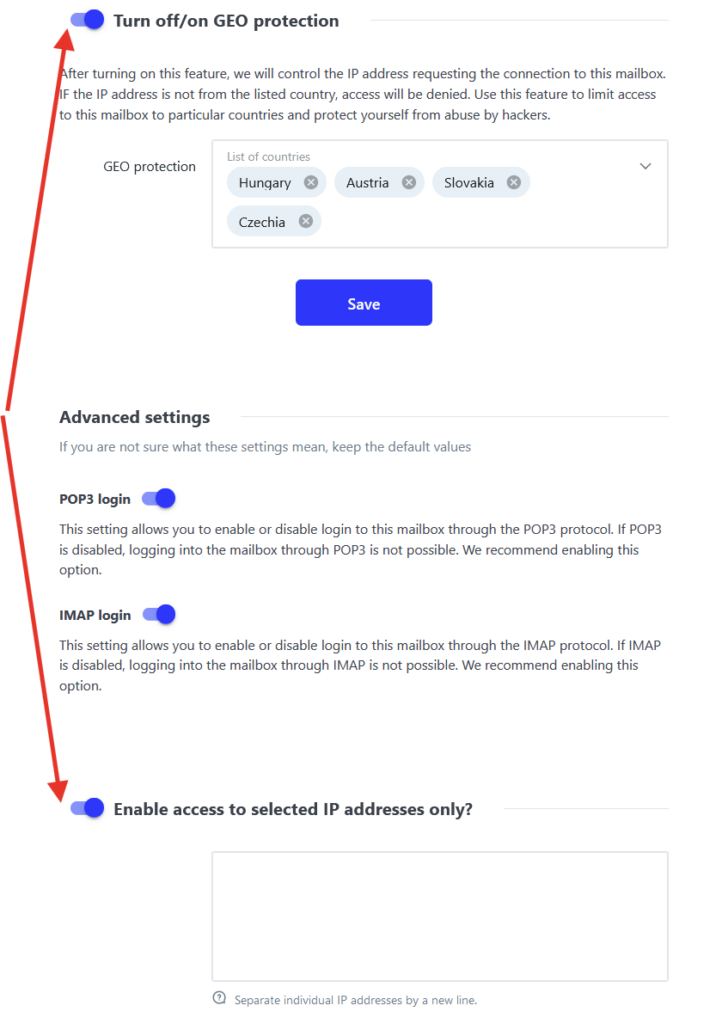
We have experienced frequent attacks on mailboxes, in most cases by guessing the password based on similarity of the password and the e-mail address. Most of these attack were made from foreign countries. Therefore we have activated GeoIP function on our servers.
This protection allows connecting to your e-mail from explicitly defined countries, or IP addresses to be precise. By default you can login from WS4 countries (CZ, SK, HU, AT) and if different, also country of origin of the account (e.g. Netherlands for NL customers)
Before traveling abroad, we would recommend if your destination country is on the whitelist. If not you will not be able to connect to your e-mail. You can always edit the whitelist trough WebAdmin, even from abroad. Whitelist is always available for editing in the WebAdmin interface. It is set for each e-mail account individually.
How to set Whitelist
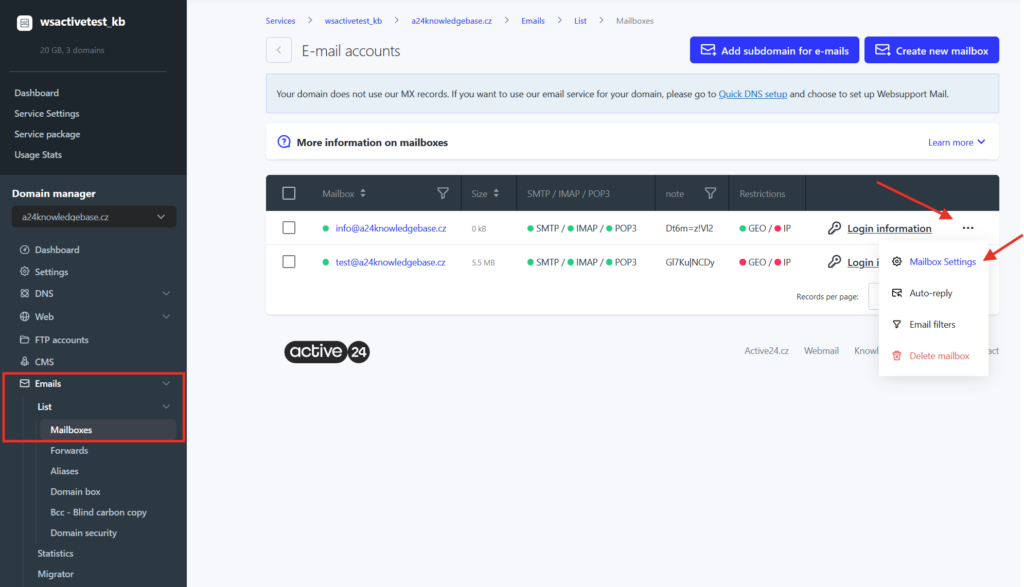
1. Login to WebAdmin
2. Select your domain in the list of services
3. Select E-mails in the left menu
Now you have displayed all created mailboxes.
4. Select three dots on the right next to your mailbox
5. Select Edit settings
6. You can see Turn off/on GEO protection section. If turned on, you can add or remove country. IP protection enables access to the mailbox for specific IP address only.