
If you have decided to change the domain for your site, there is no need to order a new service and create content from scratch. You can make the change in just a few steps.
- Log in to WebAdmin
- Click Website builder in the list of services
- In the “Domains” tab, click on the 3 dots next to the domain and then on the “Disconnect Domain” button.
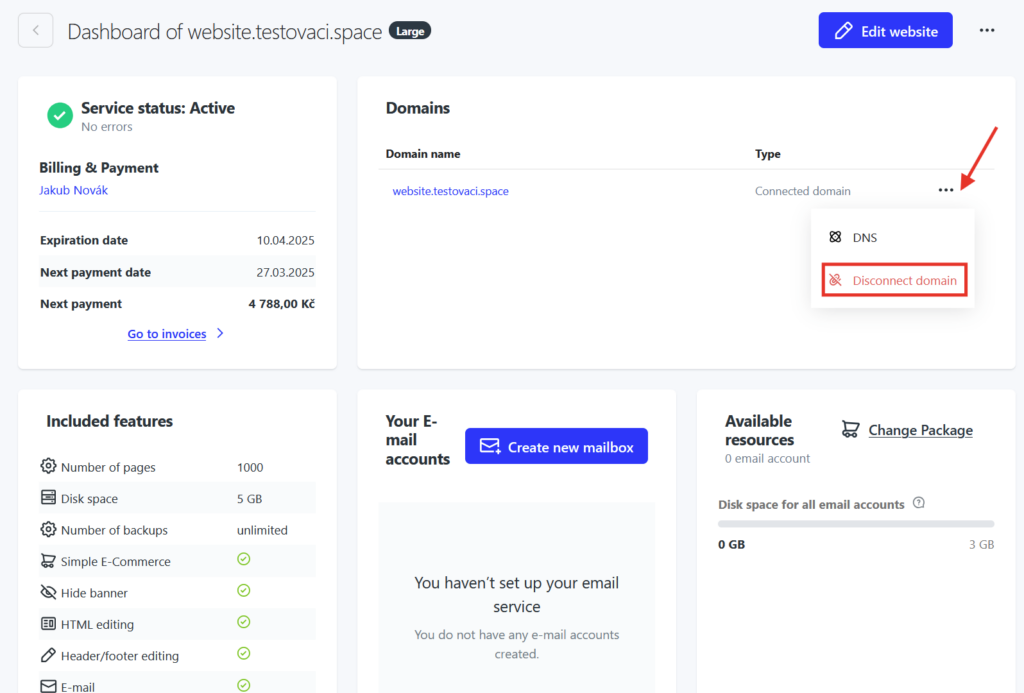
4. When you click Disconnect Domain, the domain will be removed from the Website builder service with the content of the page remaining in its original state on the temporary domain.
WARNING: Clicking to disconnect a domain will delete all emails on the original domain and will incur a charge for any recovery.
5. When you disconnect a domain, you will see the option to assign a new.
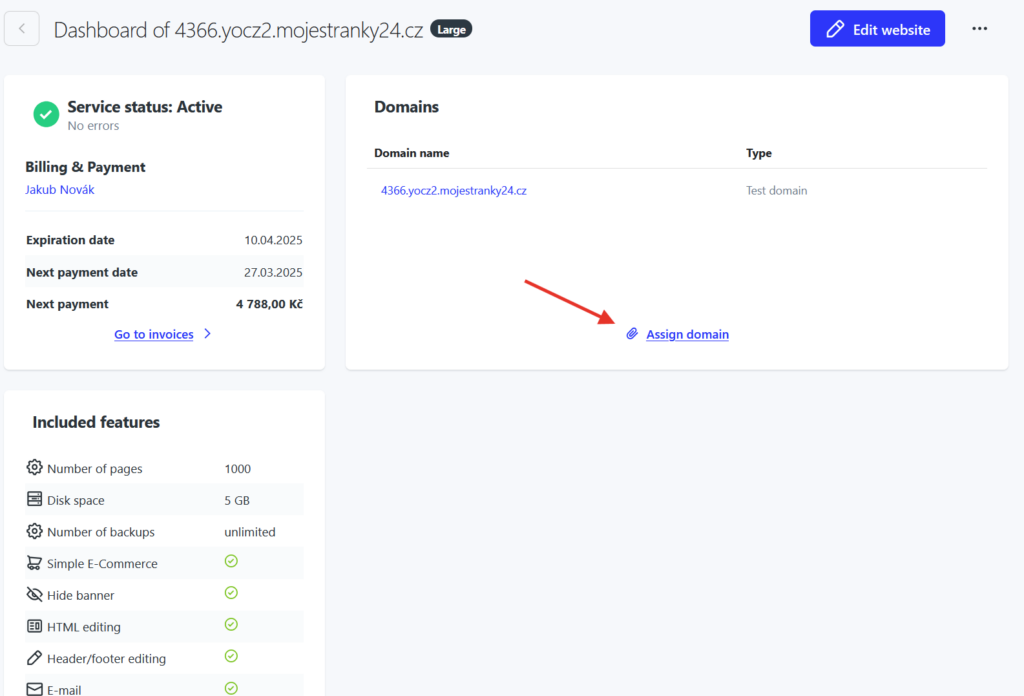
6. Click on “Assign domain”, fill in the name and confirm.
7. Done, the domain has been changed.