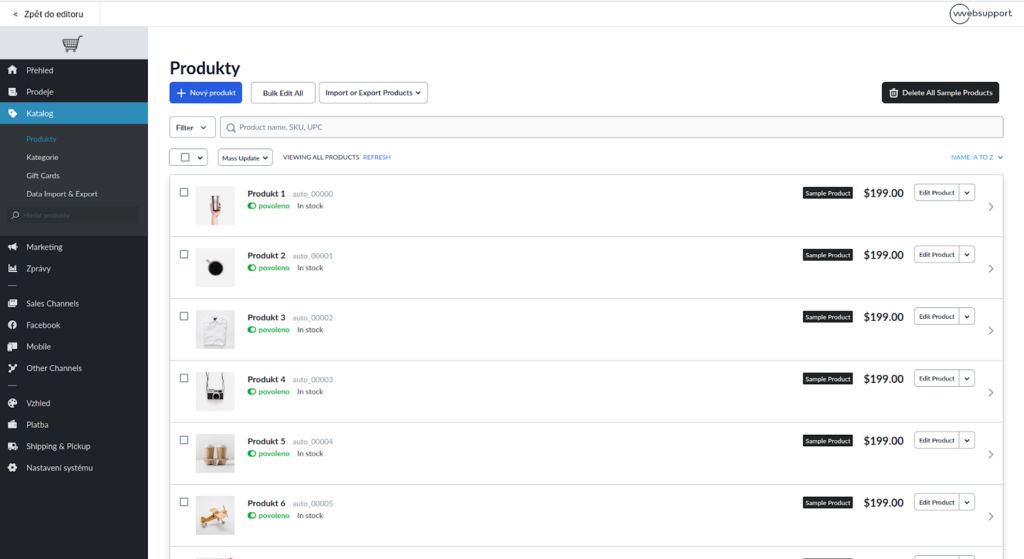
There is a limited e-shop available in the Website builder (Website) where you can advertise up to 3 items. This feature is available on any version of the Website Builder service.
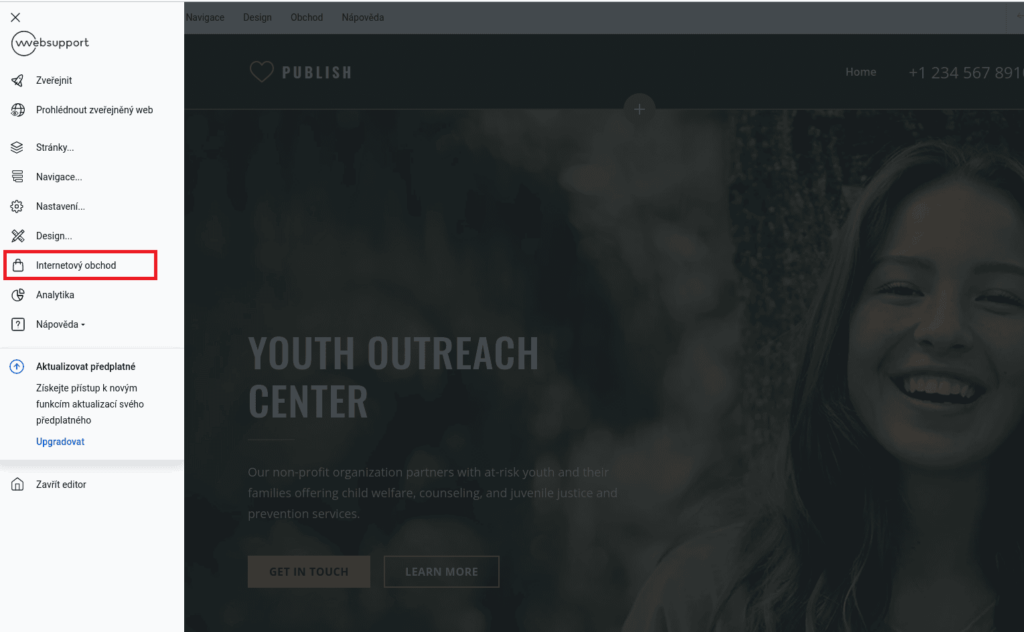
The client can get to the e-shop in the editor through the menu (top left corner) and click on Online shop there.
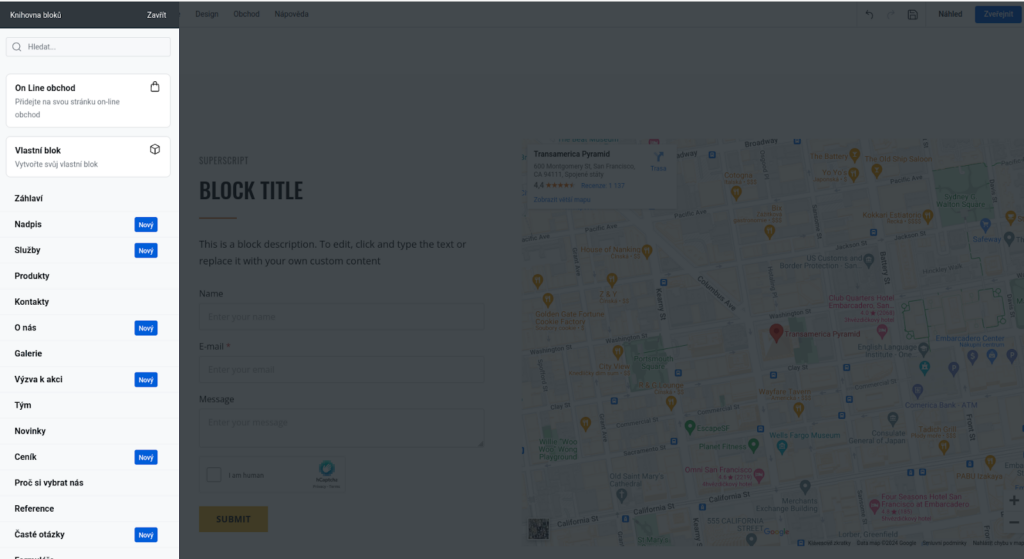
The product page can then be added to the Website builder as a new Online Shop block.
Localization Settings
In the Eshop settings, it is first necessary to check for which localization you wish to operate the eshop.
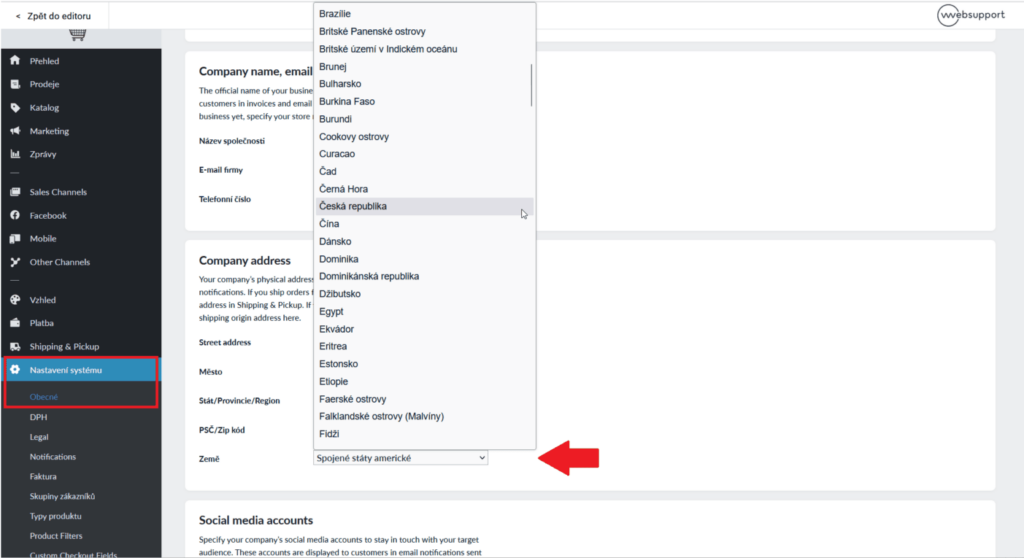
You can find the settings in the Online Store section, where you go to the System Settings > General section
Scroll down to the Company address section and select the country for which you will operate the e-shop from the Country item.
Payment Options
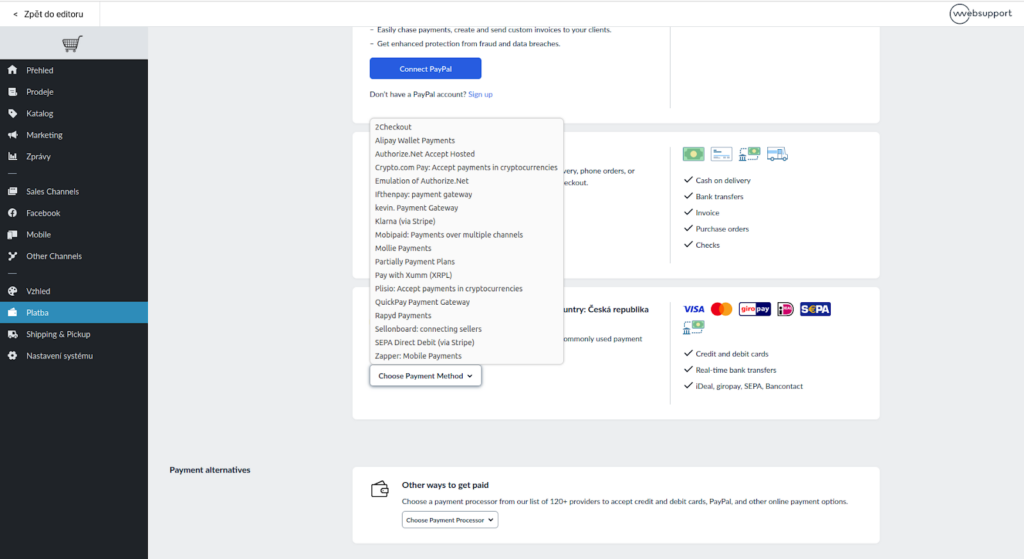
Payment is set in the Payment section, cash payment is automatically set.
It is also possible to connect payments via PayPal, and below it is possible to add other payment methods
Shipping Settings
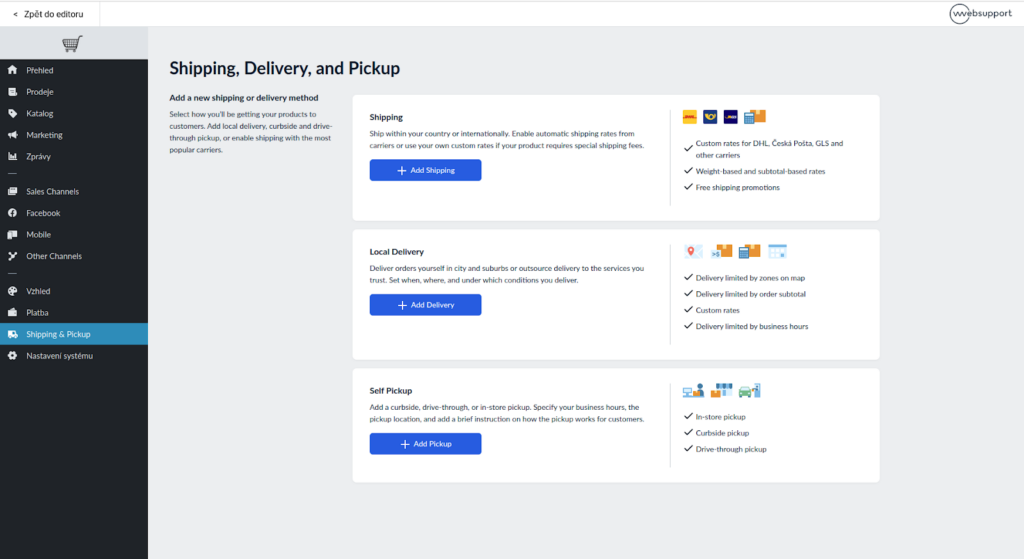
Shipping can be set in the Shopping&Pickup section. To set it up, just select the payment type and price.
Linking with third-party applications, such as Mailbox, is not possible.
Product Management
Products can be added in the Catalog section. Here it is possible to edit both individual products and product categories.