
1. Home
  2. Hosting and Web
  3. Change of PHP version
  1. Home
  2. Web and PHP settings
  3. Change of PHP version

Change of PHP version

For optimal security and performance of your website we recommend to use the newest version of PHP. Or at least one of the officially supported versions

New versions of PHP comes out every year. Same as you software, your website (and all its components) should be periodically updated.

  1. Log in to the WebAdmin
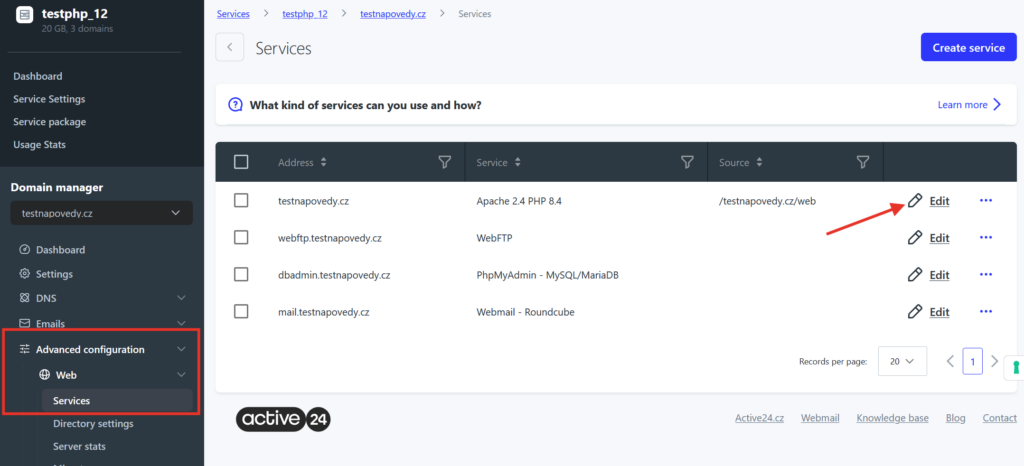
  2. Select your domain in the Services section, then select Advanced configuration > Web > Services in the left menu
  3. In the list select Edit next to the domain for which you want to change PHP version
4. Select the PHP version in the Service drop-down menu and Save the change.
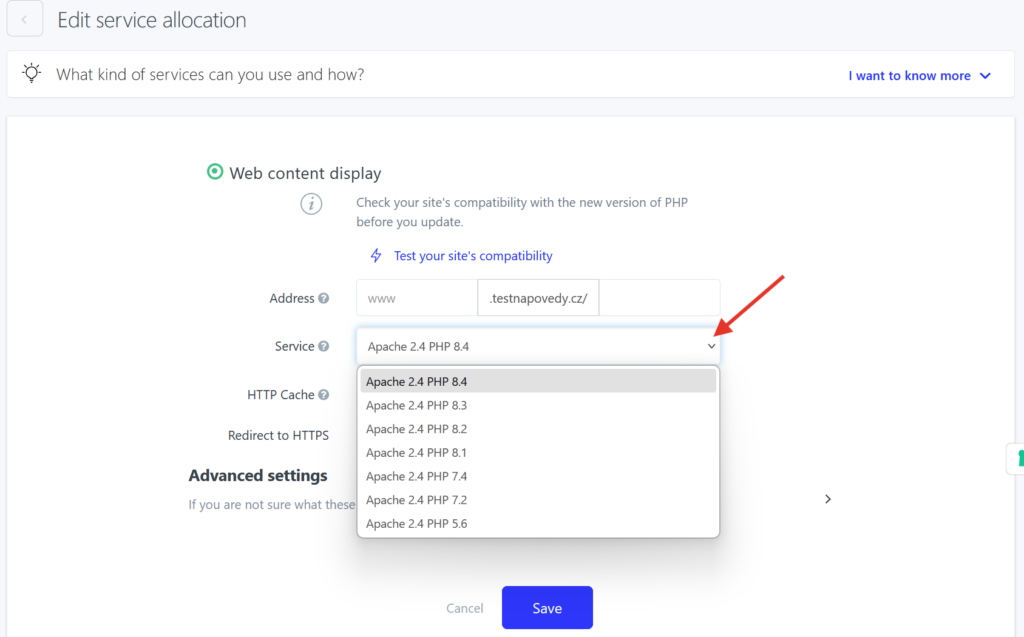
If your website is not compatible with the PHP version you chose, update may cause critical errors. Before you update the PHP version, test your website and make sure that all components are compatible (CMS, plugins, themes).

Updated on June 25, 2025

Was this article helpful?

Related Articles