
Do you need more storage space, additional email accounts or more advanced website features? In WebAdmin, you can change the package and parameters of your hosting, Business Mail or Website Builder service. This guide explains how.
Before switching to a lower package, make sure that your current usage does not exceed its limits, such as the available storage space or number of assigned domains. Otherwise, you will not be able to complete the change.
Switching to a lower package does not extend the service period. In accordance with the applicable Terms and Conditions, we do not refund the price difference for the remaining part of the prepaid period.

How to upgrade your hosting
You can increase the storage capacity of your hosting. Higher packages also allow you to increase the number of assigned domains—the number of domains that can be connected to the hosting. This does not include purchasing or registering new domains.
The available upgrades depend on your package:
| Package | Storage capacity | Assigned domains |
|---|---|---|
| Simple | 1–3 GB, in 1 GB increments | Always 1 domain |
| Smart | 20–50 GB, in 5 GB increments | 3–5 domains, one at a time |
| Super | 100–300 GB, in 10 GB increments | 10–100 domains, two at a time |
If your current package is no longer sufficient, you can switch to a higher package and adjust its parameters according to your needs. You can calculate the price for the required storage capacity and number of assigned domains in the WebAdmin – it will display the current price when you change the package.
How to proceed:
- Log in to the Webadmin
- Select the Services section
- Select the hosting service, where you want to update parameters – you will get to the overview of the services
- Under the “Main hosting parameters and their usage” you can select the option to Change package.
- There are all available packages. Select appropriate package.
- Then just select “Continue to billing details” and then Proceed to payment
- Parameters of the hosting are increased after the payment

How to change the number of Business Mail licences
Do you need to create additional email accounts or change their parameters? Adjust the number of individual Business Mail licences. One licence corresponds to one email account. Its storage capacity and available features depend on the selected licence type.
| Licence | Capacity |
|---|---|
| Basic | 1 GB |
| Advanced | 3 GB |
| Premium | 30 GB |
The total price of the service depends on the resulting number and types of licences. You can find current prices in the Active24 price list.
The total price of the service depends on the resulting number and types of licences. When making the change, specify how many Basic, Advanced and Premium licences you want to use.
You can find a detailed comparison of the available features in the article Business Mail – packages and modules.
How to change the number of licences:
- Log in to WebAdmin.
- Go to Services.
- Select the Business Mail service for which you want to increase the number of licences.
- In the Licences utilisation section, click Buy more. This will take you to the calculator, where you can adjust the number of individual Business Mail licence types.
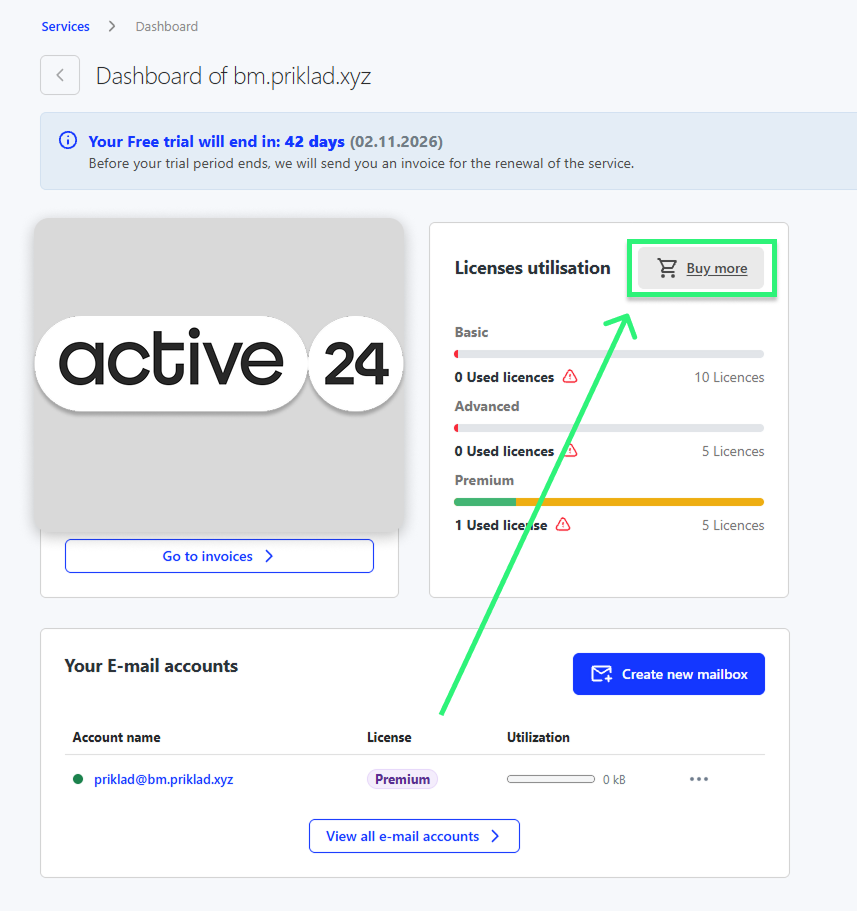
5. In the calculator, enter how many Basic, Advanced and Premium licences you want to use. The value represents the total number of licences you will have after the change, not only the number of new licences you want to add.
Increasing the number of licences only orders them and adds them to the service. A new licence is not automatically assigned to a specific email account. Once payment has been received, you must activate it manually.
How to change the licence assigned to an email account
Once the new licence is available, assign it to the required email account:
- Open the Overview section in the Business Mail service details.
- In the Your email accounts section, click the three-dot menu next to the required account.
- Select Edit settings.
- Go to Licence management.
- Click Activate next to the required licence.
For each licence type, you can see how many licences are currently available. Once activated, the email account’s capacity and available features will change according to the selected licence. The original licence will become available and can be assigned to another email account.
How to change your Website Builder package
Website Builder is available in three packages. They differ mainly in the number of subpages, storage capacity and available features:
| Package | Summary |
|---|---|
| Small | A simple website with one subpage and 1 GB of storage |
| Medium | Up to 10 subpages, 2 GB of storage, an AI assistant and advanced features |
| Large | Unlimited subpages, 15 GB of storage and online store features |
You can find current package prices in the Active24 price list.
How to change your Website Builder package:
- Log in to WebAdmin.
- Go to Services.
- Select the Website Builder service whose package you want to change.
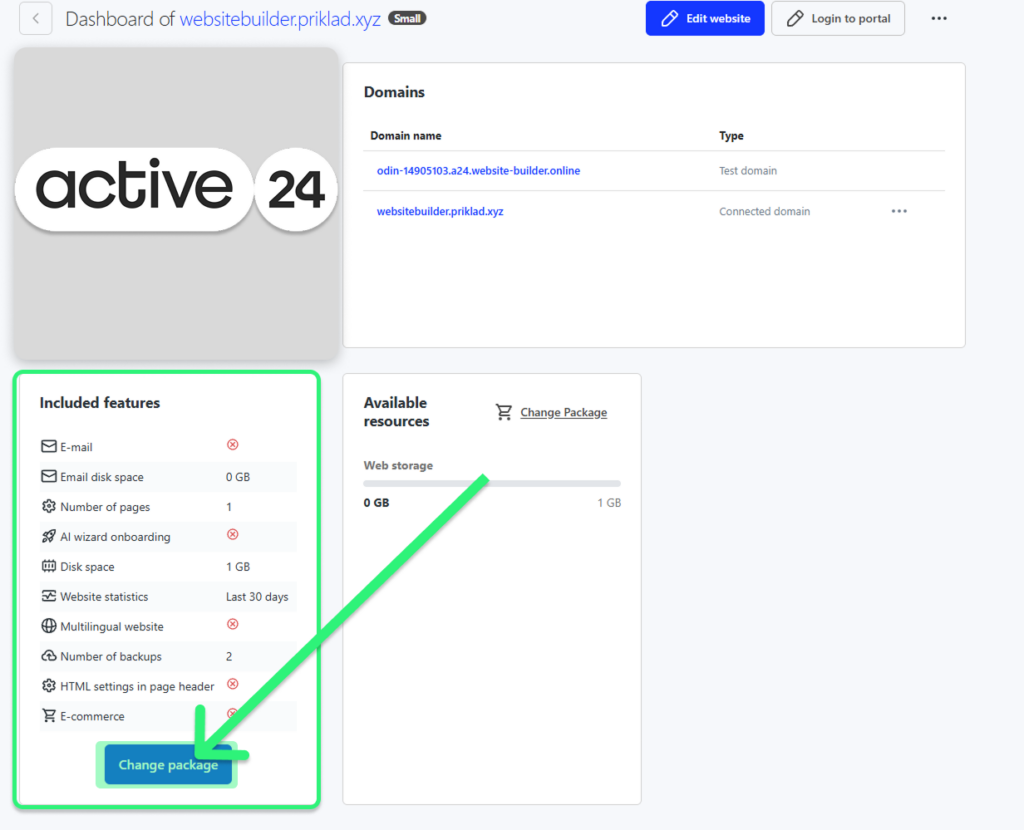
4. Select the required package and configure its parameters, such as the email storage capacity, premium website security or automatic backups.
5. Click Proceed to billing details.
6. Check the selected package, its parameters and the amount to be paid. If everything is correct, click Process change. We will then issue a payment request, which you can pay using the email we send you or through the Invoices section of WebAdmin.