
You can access hosting statistics via WebAdmin. You can display storage space, CPU time, IO operations, PHP requests and CPU load of last 5 minutes. Simple explanation of these parameters can be found bellow.
1. Log in to you WebAdmin
2. In the Services section select your domain
3. Go to Overview
4. To display Statistics select Web in the left menu, then select Statistics
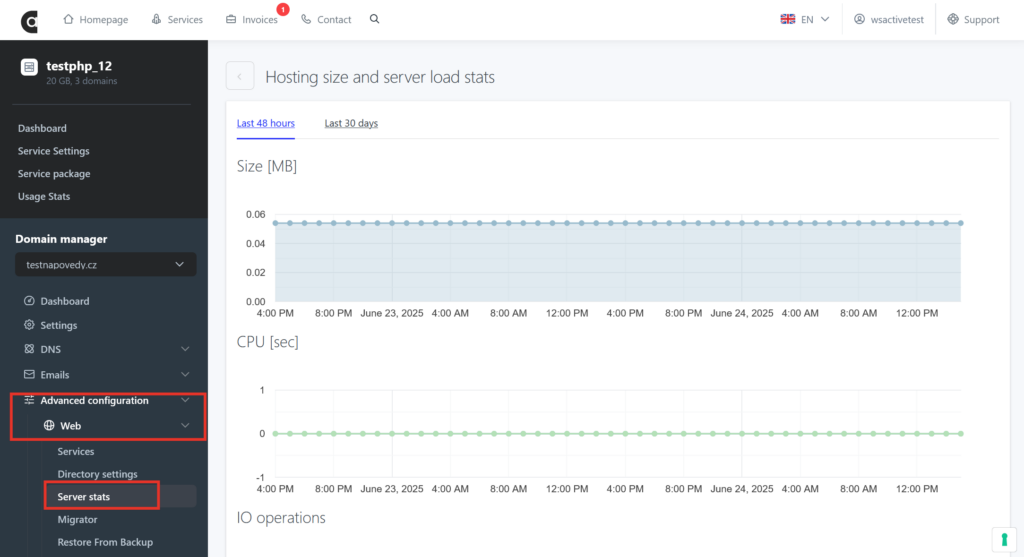
CPU time: It represents how much time did processing units spend to process scripts on your hosting – it shows overall load of the CPU that hosting performs.
IO operations: Number of all reading and writing on the disk that are performed by PHP scripts of your application.
PHP request: Number of requests/loads out of all requests that has been processed by PHP.
CPU load in last 5 minutes: It represents current hosting load.