
Would you like to change your WebAdmin password? You can do so in your user profile. However, you will need to know your current password.
If you do not remember it, follow the instructions below:
Login password change
- Select your Username in the top menu
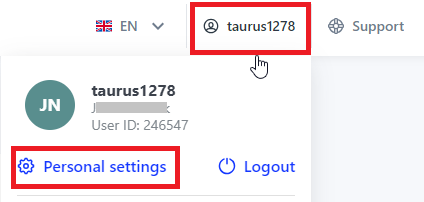
2. Select Personal settings
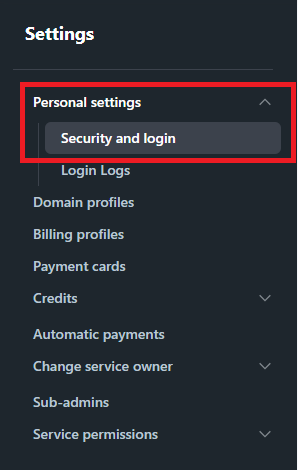
3. Select Security and Login in the left menu
3. To prevent mistakes enter old password and new password twice
4. Confirm changes with Continue
Passwordless login
Passwordless login allows you to access your account without entering a traditional password. Instead, you use a supported authentication method, such as biometrics, a PIN, or a hardware security key.
This method is more resistant to password theft and phishing because no password is transmitted over the internet. Your device verifies that it is really you and confirms the login request. Your biometric data, PIN, and private authentication key remain securely stored on your device and are not sent anywhere.
To enable passwordless login:
- Open Personal settings.
- Select Security and login from the left-hand menu.
- Click Set up passwordless login.
- Follow the on-screen instructions.
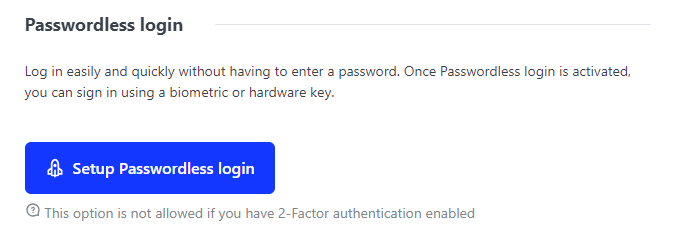
After you finish the guide, you will be able to log in via biometric or hardware key.