All login credentials: names, passwords, hosts are managed via WebAdmin. Right after the order it is necessary to log in and create accounts for all required services (FTP, databases, e-mails).
Changing password to the administration
Change of password to WebAdmin is described in following guide.
Changing password to a mailbox
1. Log in to WebAdmin with the same login credentials as for e-mail (name: your e-mail address, password: current password to the e-mail).
2. In a section Change password set new password (it is mandatory to use a combination of letters and numbers and special characters).
Creating FTP login/changing FTP details
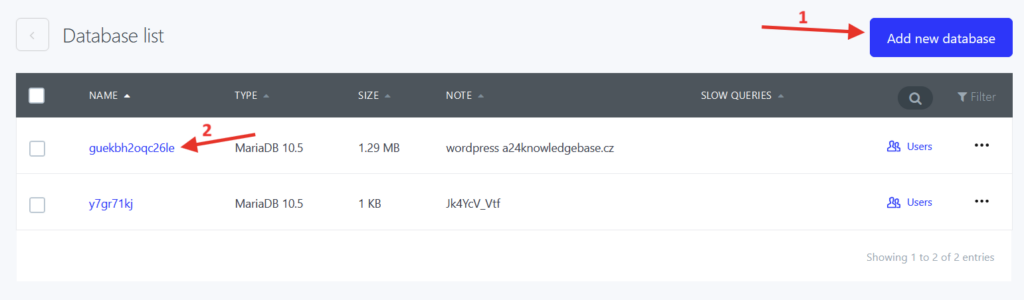
Creating FTP login or making changes in the login can be done after you log in to WebAdmin in section Services/WEB/FTP account. Select Create new FTP account (1) or Login information (2).
Setting login credentials to database/change of database login details
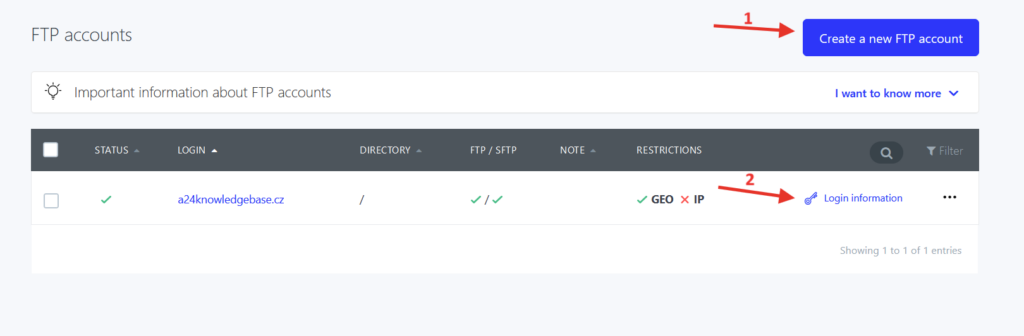
Database login credentials can be set after you log in to WebAdmin in section Services/Databases where you can Create new database for which set new details (1) or Select the database name (2) where you can then change current login details.